Create and run your zones
A trading name, a location, a router: your zone exists, and its overall state — running, needs attention, offline — reads at a glance. Rename it, pause it or close it whenever you want.

The WiNet app brings your zones, your bundles, your sales and your balance together on one screen. It already runs in your phone's browser, on Android and iPhone alike; the installable Android app is coming, iOS will follow.
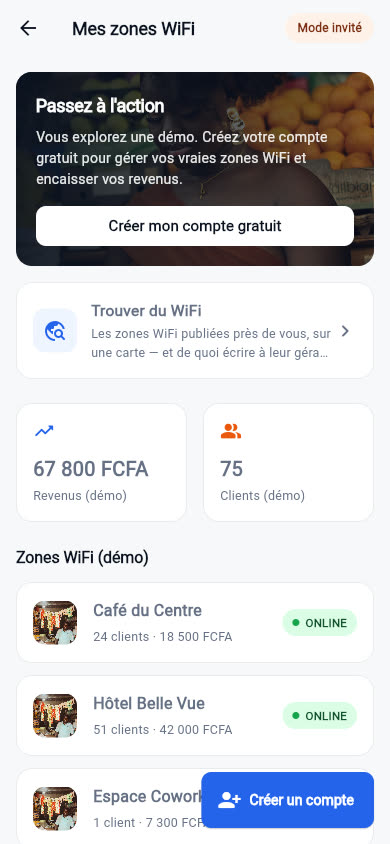
Open the app and you see your available balance, today's sales and the status of every zone. No menus to dig through: what you check ten times a day is already in front of you.
Each zone shows its name, whether its router is online, how many vouchers it has sold and how fast. Tap it for the detail: active bundles, recent sales, portal branding.
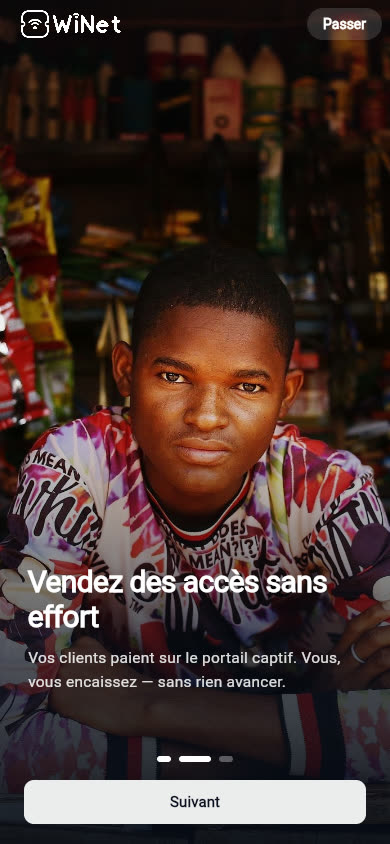
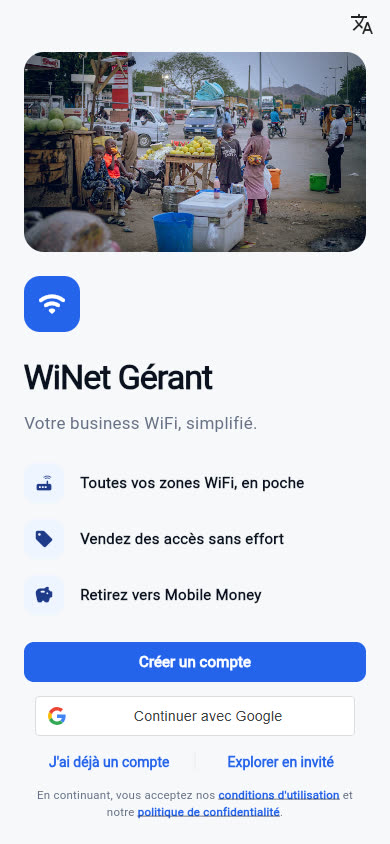
Three screens captured from the app as it is being built. The guest-mode figures are a demo — and the app says so itself.
Eight actions that cover almost everything a WiFi zone needs day to day.
A trading name, a location, a router: your zone exists, and its overall state — running, needs attention, offline — reads at a glance. Rename it, pause it or close it whenever you want.
A name such as "Day pass" or "Unlimited night", a data cap in MB or GB, a duration in hours or days, a speed in Mbit/s, how many devices one code accepts — one by default, up to ten for a family or office bundle — and a price. Edit a bundle and the zone's portal shows the change straight away. Each bundle also shows its counters, re-read from the router: tickets in stock, in use, online sales, manual sales, expired — and an empty stock flags itself in red.
From your router's page, expert mode opens WinBox, WebFig and a Mikhmon hosted by WiNet — with your admin credentials, which you already hold. For going further than the app when you need to.
Generate up to a hundred codes at once and print the sheet: every ticket shows the network name, the price and the full details of the bundle. Or set up your sellers: a name, a password, a link you send them on WhatsApp. At the counter they request a code when they sell it — with no access to the router or to WiNet — and every sale lands in your till, with the time, the price and the seller. Those cash sales are yours in full, with no commission.
See who is connected to the zone and cut a session. Once you cut it, the device does not quietly reconnect on its own.
Sale collected, payout sent, router gone offline: the app tells you the moment it happens.
Sales by day and by zone, portal sales and counter sales told apart, which bundles sell, when the rush hits: enough to price your access without guessing. Every sale shows the code that was sold, and the period's PDF report lists them one by one.
Enter the amount and your mobile money number: MTN Mobile Money or Orange Money in Cameroon, M-Pesa in Kenya, Airtel Money in Uganda, Wave in Senegal. Confirm, and the transfer goes out.
Sign in with a verified email or with Google, secure sessions, and each manager's data kept separate.
Expiring codes is not a manager's job. The zone's router applies the expiry date itself, even if the site's Internet link went down in the meantime. When it expires, the running session is cut and the phone does not reconnect on its own. Full detail on the WiFi portal & vouchers page.
You create your account with an email address and a password. A six-digit code confirms the address, which is what stops anyone else claiming your balance. You can also sign in with Google in one tap.
There is no sign-in by phone number: your Mobile Money number is there to receive money, not to open your account. That is safer, especially if you change SIM.
Every manager is walled off from the others. Your zones, your sales and your balances are visible to you alone, and you can ask us to delete your account at any time.
Two ways in, one identity. The six-digit code is only asked for when you sign up and when you reset your password.
A street corner today, a hotel tomorrow, a campus next year: it all sits in the same account, with a balance per zone and one overall view.
You never enter a payment method in WiNet. The app sells nothing: it shows your balance, tops it up with your sales, and empties it to your Mobile Money when you ask.
There is no premium account any more. These features, once reserved, are on every account, free of charge and with nothing taken from your balance. The only thing WiNet keeps is its commission on the WiFi access sold through the portal.
A code bought on the portal can be valid across your whole account, not just one zone. Useful when the same customer moves between several of your locations.
The BUSINESS, CAMPUS, CAFE_HOTEL and EVENT templates sit alongside BASIC, each laid out for a different kind of venue. All of them are free.
Sell subscriptions by login, beyond the hotspot: a neighbour on a monthly plan connects with their own account instead of going through the portal every time.
List your hardware in the app's marketplace. Every listing shows who is selling and how to reach them: the sale happens directly between you and the buyer, with no commission and no involvement from WiNet.
Put yourself forward as a WiNet technician and take paid jobs near you. It costs nothing; only the identity check is required. Your manager account stays the same. See Become a technician.
No monthly charge, no auto-renewal, no bank card to enter, no option to unlock. You collect your sales, WiNet keeps its commission, and that is the whole arrangement.
Anyone can apply to be a technician, at no cost. Approval is still checked by WiNet: until your file is cleared, you cannot accept a single job. This is about trust, not money. A technician works inside people's premises, and that check is what protects the managers who call one in.
Two versions are available today: the one that opens in your browser with nothing to install, and the Android app on Google Play. Here is exactly where the third one stands.
Open app.winetapp.org in the browser on your phone or computer, create your account, and you are in. It works just as well on Android as on iPhone.
In Chrome, tap "Install app"; in Safari, "Add to Home Screen". The WiNet icon then sits next to your other apps and opens full screen.
The Android app is live on Google Play, free of charge, under the name “WiNet : Gérer une Wifi Zone”. Search for “WiNet” in the store, or go straight there with the button below.
Your account, your zones and your balance are exactly the same as in the web version: you open whichever suits the moment, with nothing to recreate and nothing to copy over.
Updates come through the store, like your other apps: nothing to watch for, nothing to reinstall by hand.
An iOS app is planned. As of today it is neither on the App Store nor in public testing. We would rather tell you than let you go looking. We will announce a date once we can hold to it.
Leave us your email address and you will be among the first to hear.
In the meantime the web version runs in Safari on iPhone and iPad: same screens, same account, same balance.
Web and Android today, iPhone after that: same app, same account. Nothing to recreate, nothing to copy over, and you can switch from one to the other in the middle of a selling day.
Like the rest of WiNet, the app is built for slow connections and entry-level devices. No video, no heavy files: your screens load on two bars of signal.

Create your free account in under a minute. Nothing to pay upfront, no subscription.